
What is PocketBook Reader?
PocketBook Reader is the free reading app from PocketBook, the e-ink reader maker. It runs on iPhone, iPad and Android, and on Apple silicon Macs as its iPad app.
It opens a long list of formats: EPUB, PDF, MOBI, FB2, DjVu, DOCX, RTF, TXT, CHM, HTML and CBZ/CBR/CBT comics, plus MP3 and M4B audiobooks. It browses OPDS catalogs and has text-to-speech. The free PocketBook Cloud syncs books, reading positions, notes and bookmarks between the app and PocketBook e-readers.
The app is free, with no ads and no subscription. Its in-app purchases are books from its built-in store.
Try BookShelves free
EPUB, PDF and comics on Mac, iPhone and iPad. No account, no ads.


The trade-off: a reader for PocketBook’s ecosystem vs. a native Apple library
PocketBook Reader is built to open almost any file and to sync with PocketBook’s own e-readers and cloud. BookShelves is built to manage a library on your Mac, iPhone and iPad, and syncs through your own iCloud account.
- No native Mac app. On a Mac, PocketBook Reader runs its iPad app, which the App Store lists as designed for iPad and not verified for macOS.
- Sync goes through PocketBook Cloud. Books, positions and notes sync through PocketBook’s own cloud service, which needs a PocketBook Cloud account.
- Tracking data. PocketBook Reader’s App Store privacy label lists identifiers and usage data as data used to track you.
Feature comparison
| Feature | BookShelves | PocketBook Reader |
|---|---|---|
| Platforms | macOS, iOS, iPadOS | iOS, iPadOS, Android (iPad app on Apple silicon Macs) |
| Native Mac app | Yes | No |
| Formats | EPUB, KEPUB, PDF, MOBI, AZW, AZW3, FB2, TXT, Markdown, HTML, CBZ, CBR, CB7 | EPUB, PDF, MOBI, FB2, DjVu, DOCX, RTF, TXT, CHM, HTML, CBZ, CBR, CBT; MP3 and M4B audiobooks |
| Sync | iCloud (Pro), no account needed | PocketBook Cloud account |
| Library organization | Shelves, tags, series, grid/list views, sort by multiple fields | Collections, sorting, filters |
| Metadata lookup | Automatic on import (title, author, cover) | — |
| Free book catalog | Built-in (Standard Ebooks, Internet Archive, and more — 1.5 million+) | Built-in store with free books |
| OPDS | Client (free) + server to share your library (Pro) | Client |
| Send to e-reader | Kindle, PocketBook (Pro) | PocketBook e-readers through PocketBook Cloud |
| Export highlights | Yes — Markdown, JSON, CSV (Pro) | Notes collected into files and shared by email or messenger |
| Text-to-speech | No | Yes |
| Price | Free up to 10 books; one-time Pro upgrade in most countries | Free |
What BookShelves does differently
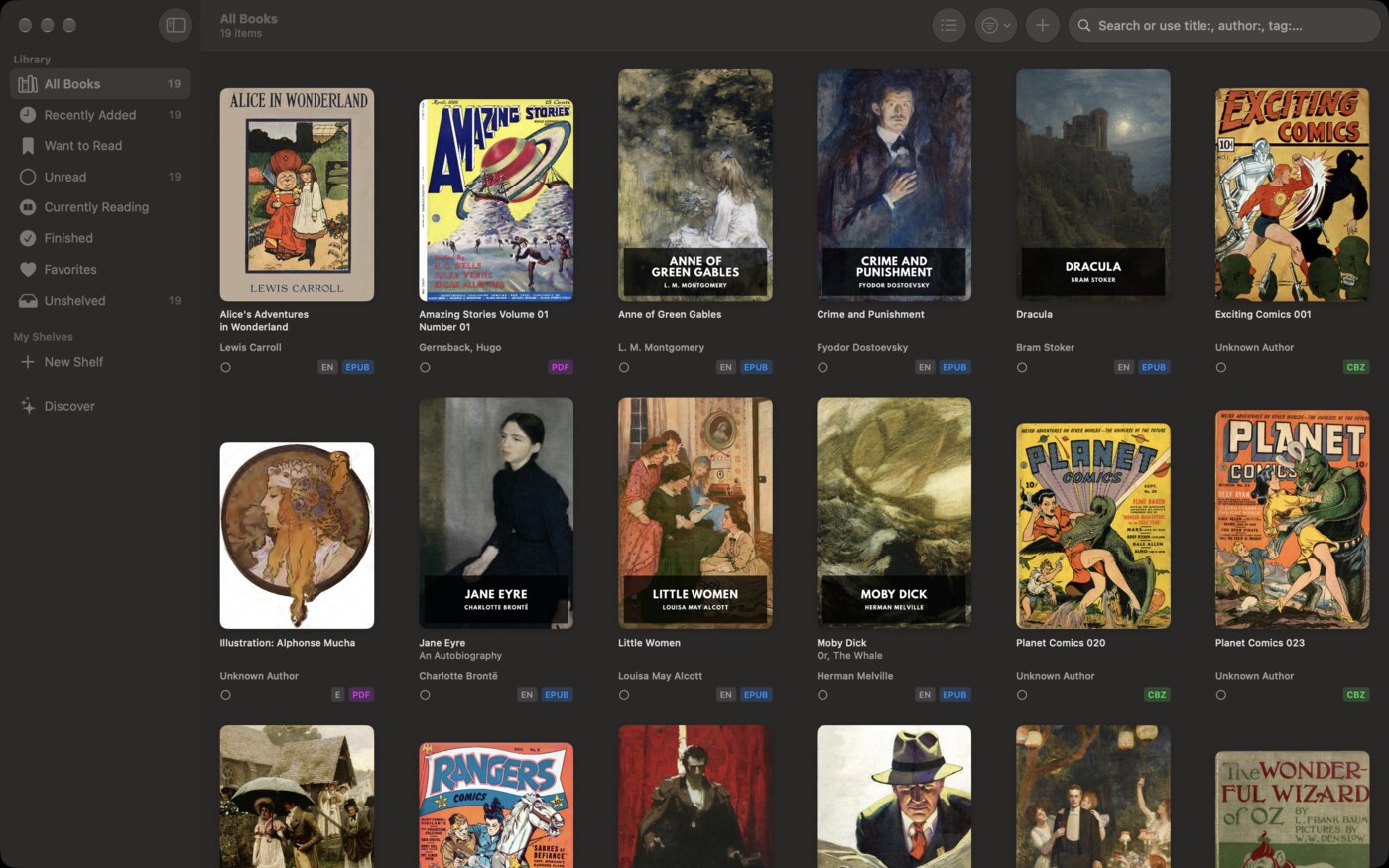
A native Mac app
BookShelves is built for macOS as well as iPhone and iPad: multiple windows, menus, keyboard shortcuts and drag-and-drop import.
Shelves, tags, series and automatic metadata
Titles, authors and covers are looked up automatically on import, and books sort into shelves, tags and series.
Sync without another account
With Pro, books, reading positions and highlights sync through your personal iCloud account. There is no separate cloud service to sign up for.
Send books to your PocketBook
BookShelves Pro emails books to your PocketBook’s @pbsync.com address, so you can manage your library on the Mac and read on e-ink.
Share your library over OPDS
BookShelves Pro runs an OPDS server on your Mac, so e-readers running KOReader, including PocketBook devices, can browse and download your books over Wi-Fi.
1.5 million+ free books
A built-in catalog of public domain books from Standard Ebooks, Internet Archive and more, ready to download.
Where PocketBook Reader is the better choice
You want everything for free
PocketBook Reader costs nothing and has no subscription. BookShelves is free for up to 10 books.
You read DjVu, DOCX or RTF, or listen to audiobooks
PocketBook Reader opens DjVu, DOCX, RTF and CHM files and plays MP3 and M4B audiobooks. BookShelves doesn’t.
You want text-to-speech
PocketBook Reader has a built-in text-to-speech engine. BookShelves doesn’t have text-to-speech.
You read on Android too
PocketBook Reader runs on Android. BookShelves runs on Apple devices only.
Switching to BookShelves
- Gather your book files — the DRM-free EPUB, PDF, MOBI, FB2 and comic files you read in PocketBook Reader.
- Drag them into BookShelves — drop them onto the BookShelves window or use the import dialog. Metadata and covers are looked up automatically.
- Turn on iCloud sync (Pro) — your books, reading positions and highlights then follow you across your Apple devices.
See the full feature list for everything BookShelves offers.
Sources: PocketBook Reader website, App Store listing.